

iOS 26.2 Coming Soon: See Which iPhones Will Get Apple’s Latest Update
Apple iOS 26.2 is launching mid-December. Learn eligible devices, AirDrop updates, Apple Music offline lyrics, and Podcasts chapter features.
image for illustrative purpose
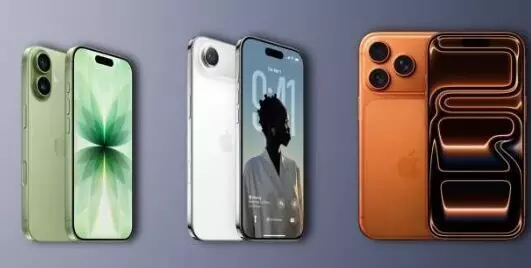
The beta version of iOS 26.2 has been made available by Apple, thus, it has caused a stir among the iPhone users all over the world. The stable release that is going to be made next is expected to bring modifications and improvements to the Apple ecosystem apps that are very important as they are aimed at making interactions between the users and the systems easier and the functionalities of the systems better.
The iPhone users who have an iPhone 11 series or any newer model will get the update. However, the cutting-edge features that use Apple Intelligence will only be available for the Pro models of the iPhone 15 and later. The people who monitor the industry predict that the iOS 26.2 will be available around the world in the period of December 12 to December 14, 2025, after the beta testing period.
An improved version of AirDrop is one of the main changes that the update will bring. This new AirDrop function will allow users to share files not only with other contacts but also with people who are outside the contact list. The transfer can be made more secure if users produce a one-time access code to aid. The introduction of a new lock screen slider to change the transparency of the Liquid Glass visual effect is another sought-after feature giving the device an even more customized look.
It is predicted that offline lyrics display for all songs will be a feature in Apple Music. This will be a great help for those users who do not have a consistent internet connection. At the same time, the Podcasts app will, with the help of Apple Intelligence, split the audio into chapters automatically, thus, making it easier for users to navigate through the content.
How to Install iOS 26.2
When the stable version has been released, users will be able to update their iPhones via the Settings app as follows:
- First, go to Settings and then to General.
- Go to Software Update and tap on it.
- When the update has been downloaded, press Install and the update process will start.





