

Top 10 Features iOS Users Love Right Now
image for illustrative purpose
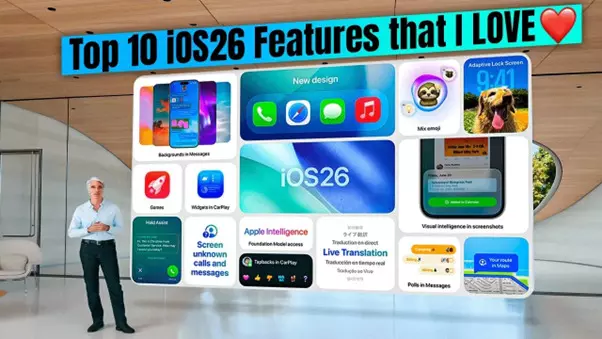
Are you curious which iPhone features people are actually using and talking about today? I am — and so are millions of iOS users. Whether you’re a casual user, a mobile gamer, or someone promoting apps on platforms, understanding the features people love helps you create better content, apps, and experiences. Let’s walk through the top 10 iOS features that are trending, why they matter, and how you and I can make the most of them.
1. Apple Intelligence — smart, private help on-device
Apple’s AI layer (Apple Intelligence) brings helpful features like smart summaries, message improvements, and on-device assistance that feels personal without dumping your data in the cloud. If you haven’t tried it, ask Siri a complex question — you might be surprised how much context it uses.
2. Personalized Lock Screen & Dynamic Widgets
Customizing the Lock Screen has gone from novelty to everyday habit: widgets, stacked photos, and dynamic clocks let you see what matters at a glance. We use Lock Screen widgets to check sports scores, battery life, or quick game stats — tiny conveniences that add up.
3. StandBy & Always-On convenience
StandBy transforms a charging iPhone into a glanceable display for timers, music controls, or Live Activities — great when you want to keep one eye on a game or a live event. It’s a small UX win that changes how we use our phones during downtime.
4. Live Activities & richer real-time updates
Live Activities let apps show real-time info on the Lock Screen or in StandBy — perfect for tracking deliveries, sports scores, or live game rounds. For gamers and betting apps, Live Activities create continuous engagement and reduce the friction of switching apps.
5. Call & Message upgrades — Live Voicemail, Contact Posters
The call and message experience got more expressive: Live Voicemail shows transcriptions as a message is left, and Contact Posters make incoming calls feel more personal. These additions make communication faster and a little more fun.
6. Improved Camera + Spatial Photos & Recording features
Apple keeps pushing camera features forward — think spatial photos, better low-light performance, and recording tools (including call recording in supported regions). These make content creation easier for influencers, streamers, and anyone who loves to capture moments.
7. Faster, smarter messaging — stickers, Live Translation, and cleanup tools
Messages now includes richer sticker options, smarter search and filters, and in some settings, live translation. We’re seeing messaging become a more global, expressive hub — useful for social groups, multiplayer games, and community chats.
8. Privacy & safety improvements — clearer control and safer default settings
Apple continues to add privacy-first features: better app privacy summaries, on-device processing for sensitive tasks, and improved safety alerts. If you care about user trust (as we should when recommending apps like kiss888), these features are central.
9. Continuity & Handoff improvements — seamless multi-device flow
Handoff, Continuity Camera, and cross-device features let you move calls, share screens, or use your iPhone as a webcam with your Mac — all without fiddling with cables. That smooth device interplay is exactly why many of us prefer the Apple ecosystem.
10. Small but mighty UX tweaks — AirDrop improvements, Liquid Glass customizations
Tiny refinements make a big difference: AirDrop verification improvements, more lock screen customization controls, and quality-of-life updates for things like Apple Music lyrics and Reminders. These keep the experience feeling fresh week after week.
How can you use these features today?
- As a user: try setting up a StandBy dashboard for your morning routine or enable Live Activities for apps you check every hour.
- As a creator or promoter: mention Apple Intelligence or Live Activities in app descriptions — users search for these keywords. If you run content for kiss888, highlight how the app uses Live Activities or notification improvements for live games.
- As a marketer: give quick tips in your app listing (e.g., “Enable StandBy for live game updates”) — small prompts increase engagement.
For example, if you’re linking to or promoting gaming platforms like kiss888, add a short note: “Works great with iOS Live Activities — get live updates directly on your lock screen.” And if you want to add a do-follow reference, consider linking to your landing page.
Conclusion
We often chase headline features, but it’s the small, usable updates that keep people glued to their devices. Apple’s steady stream of personalization, privacy, and AI-powered conveniences gives users reasons to stay engaged — and gives creators and promoters clear signals to optimize for. Which of these features are you excited to try? I’m curious — drop a line and tell me which one changed how you use your iPhone.





