

Apple Rolls Out iOS 26.2 Update: Is It Mandatory? Supported Devices, New Features & How to Install
Apple releases iOS 26.2 with improved performance, security updates, and enhanced AI features, urging users to upgrade for a smoother and safer experience.
Apple rolls out iOS 26.2, bringing new features, security upgrades, and enhanced AI tools to supported iPhones.
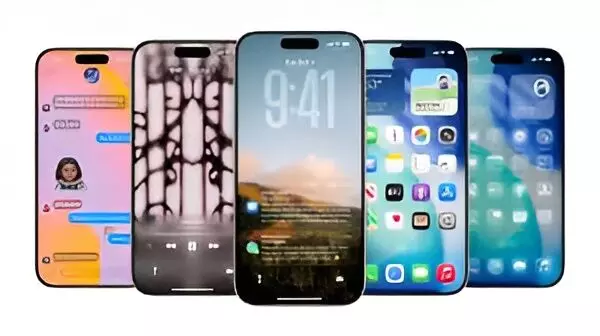
Apple has formally issued iOS 26.2, thus elevating the system from an optional update to a recommended installation for all users of eligible iPhones. The company advises iPhone users to change from iOS 18 to the newest version of the operating system so as to gain access to the features that come with AI, security update, and performance improvements.
Is iOS 26 Mandatory?
Even though iOS 26 is still voluntary, Apple’s change of stance from “optional” to “recommended” implies that security patches for the older software may be discontinued soon, and users would then have to migrate to the new OS for protection. According to technology sources, basic security updates for iOS 18 might be phased out during the next few months.
Supported iPhones for iOS 26
Apple has confirmed iOS 26 compatibility for a wide range of models, including:
iPhone 17 series (17, 17 Pro, 17 Pro Max)
iPhone Air
iPhone 16 series (16, 16 Plus, 16 Pro, 16 Pro Max, 16e)
iPhone 15, 15 Plus, 15 Pro, 15 Pro Max
iPhone 14, 14 Plus, 14 Pro, 14 Pro Max
iPhone 13 lineup including mini and Pro models
iPhone 12 lineup
iPhone 11 lineup
iPhone SE (2nd generation and later)
iOS 26.2 Now Available
The new version of the software has started to be distributed already, with the time required for installation varying from 30 minutes to hours, depending on the type of device, internet speed, and the load on Apple servers.
How to Install iOS 26.2
Back up your iPhone to iCloud or your computer.
Plug into power and connect to Wi-Fi.
Go to Settings > General > Software Update.
Choose Install Now, or tap Download and Install if prompted.
Key Features of iOS 26
iOS 26 introduces a major design refresh and several intelligence-driven upgrades:
Liquid Glass UI: A new translucent interface that changes based on screen content.
Improved Apple Intelligence: Enhanced translation tools and smarter visual search, including screenshot recognition.
Call Screening: Automatic caller information requests for blocking spam or unknown callers.
Hold Assist: Keeps your place in line during customer service calls.
CarPlay Enhancements: Support for Live Activities, showing real-time updates for deliveries, sports scores, and more.
iOS 26.2 vs iOS 26
The 26.2 update refines iOS 26 with:
Better design polish
Upgraded file sharing
Smarter reminders
Improved health and sleep tracking
Enhancements to Podcasts and News apps
Stability, performance, bug fixes, and potential battery improvements
Apple recommends updating to enjoy the full experience of its newest features and security enhancements.





