

14 Google Gemini AI Prompts to Create Hyper-Realistic Magical Fantasy Portraits for Boys and Girls
Create stunning, hyper-realistic magical fantasy portraits with these 14 Google Gemini AI prompts for boys and girls. Transform selfies into cinematic genie-style character art using simple copy-paste prompts.
A hyper-realistic fantasy portrait created using Google Gemini AI, featuring glowing genie smoke and cinematic lighting for a magical transformation.
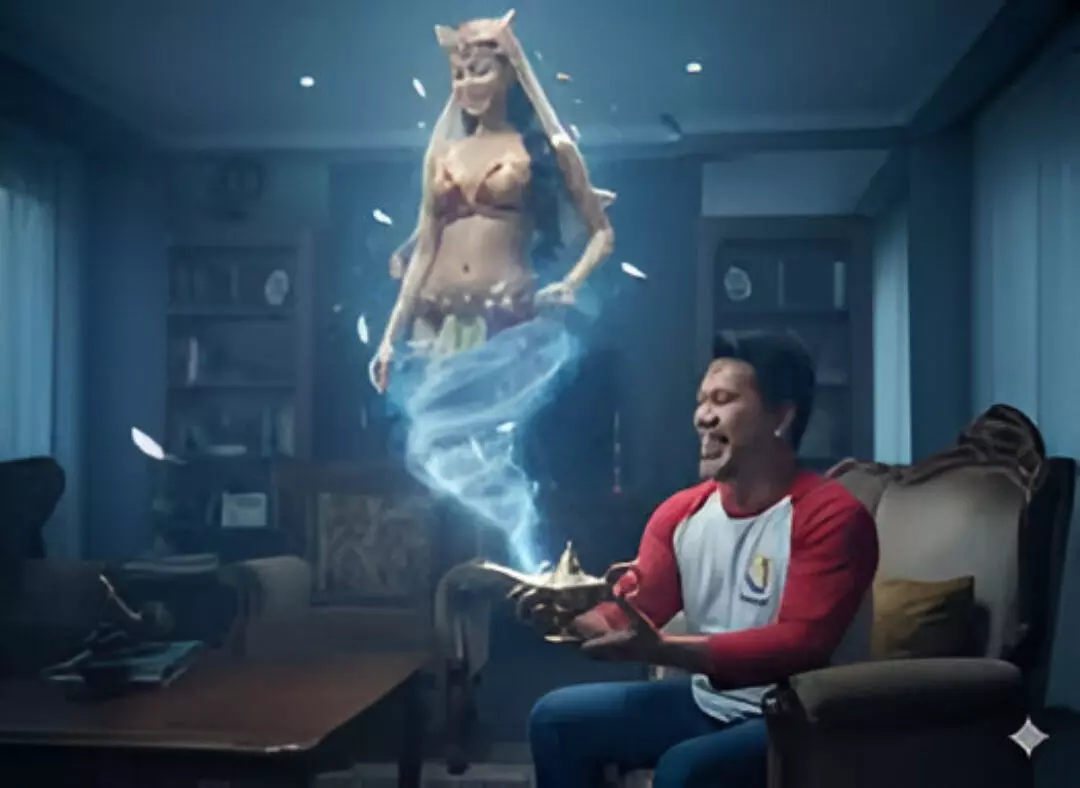
Hyper-realistic fantasy portraits have become a viral trend, allowing young users to see themselves as elves, warriors, angels or spell-casters without professional studios, costumes or advanced editing skills. With Google Gemini’s AI photo-editing tools, a single selfie can be transformed into a cinematic fantasy scene filled with enchanted light, glowing particles, mythical silhouettes and dramatic genie effects.
To help you get started, here are 14 copy-paste prompts crafted for boys and girls. Each prompt balances realism with creativity, retaining the user’s real face while enhancing the surroundings with magical fantasy elements. These prompts are ideal for Instagram, WhatsApp profile photos, digital posters, and creative art projects.
Top 14 Google Gemini AI Photo Editing Prompts for Magical Fantasy Portraits
Each prompt below includes detailed instructions on lighting, composition, atmosphere, and genie-style fantasy elements. Users simply need to upload a clear selfie into Gemini’s editor, lock their face, and paste the prompt to generate hyper-realistic results.
Prompt 1
A dark-fantasy cinematic portrait of a boy holding a glowing antique brass lamp, reacting in awe as golden smoke explodes upward and forms a towering genie.
Prompt 2
A profile-angle fantasy portrait featuring dramatic golden smoke forming a luminous genie torso, with warm light reflecting off the subject’s face and jacket.
Prompt 3
A seated, waist-up magical realism portrait with glowing particles, swirling smoke, and a genie forming above a brass lamp.
Prompt 4
A jaw-dropping genie transformation portrait with golden-blue smoke forming a powerful ethereal figure, dominating the frame with intense cinematic lighting.
Prompt 5
A chest-up fantasy portrait with warm golden highlights and deep blue shadows as the genie emerges with sparkling dust surrounding the figure.
Prompt 6 (Girls)
A magical portrait of a girl holding a brass lamp as golden smoke swirls upward to create a majestic genie silhouette.
Prompt 7
A clean, photorealistic fantasy portrait with dramatic warm glow lighting the face, set against a minimalistic bedroom backdrop.
Prompt 8 (Girls)
A serene enchanted portrait where a girl gazes upward at golden smoke forming a celestial genie above her.
Prompt 9
A reverent, cinematic portrait with detailed textures and a glowing fantasy figure created from swirling smoke.
Prompt 10 (Girls)
A soft, magical fantasy portrait featuring a warm golden haze and dramatic contrasting shadows as a genie forms from smoke.
Prompt 11
A dark-fantasy cinematic portrait showing a boy seated on a bed holding a glowing lamp as a genie begins to appear.
Prompt 12 (Girls)
A luminous genie-themed portrait with rich textures, glowing smoke effects, and soft cinematic backlighting.
Prompt 13
A dramatic magical realism portrait with golden smoke rising to shape a genie above a glowing brass lamp.
Prompt 14 (Girls)
A vertical cinematic portrait where a girl watches in awe as a genie forms from magical golden smoke.
How to Create Hyper-Realistic Fantasy Portraits Using Gemini
Step-by-Step Guide
- Choose a clear selfie — ensure the face is fully visible and well-lit.
- Open Gemini’s image editor / Nano Banana mode for best detail.
- Upload your photo and lock the identity using:
- “Use the same face from the uploaded photo. Do not change facial structure or skin tone.”
- Paste one of the 14 prompts for your desired fantasy scene.
Add negative prompts like:
“No distortions, no cartoon effects, no text, no watermark.”
Generate and refine — adjust lighting, magic intensity, or background until the look fits your style.
Pro Tips for Best Results
- Define clear fantasy roles: elf, knight, mage, fairy, dragon rider, angel.
- Specify lighting styles: moonlit, golden glow, enchanted forest, bioluminescent blue.
- Combine realism with soft magical effects for a cinematic finish.
- Repeat “keep the original face” in every prompt to avoid AI morphing.





