

Best TradingView Alternatives in 2026: Expert Comparison and Honest Assessment
Analysis phase (8:00 AM): Load remaining candidates into TakeProfit (or the leading service when I need community resources).
image for illustrative purpose
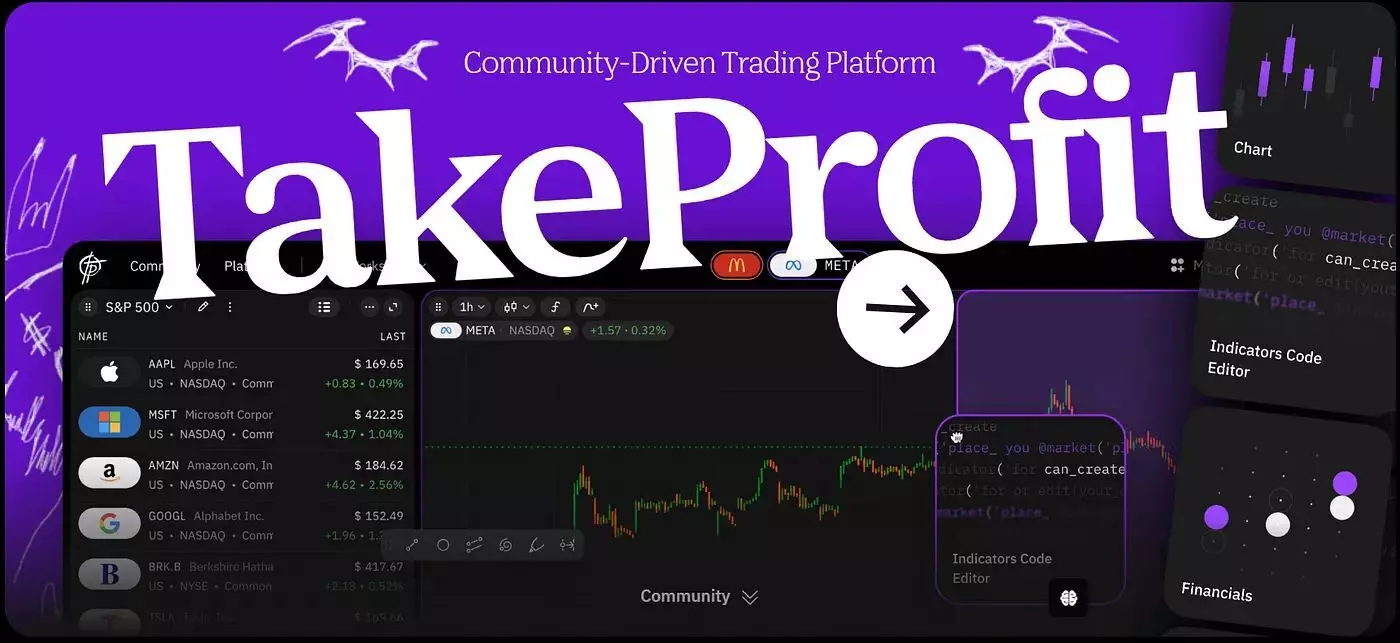
After 15 years of trading and testing every major charting solution on the market, I've learned one thing: there's no perfect platform. Here's my honest take on which alternative to TradingView actually delivers - and where each one falls short.
By Lloyd Sanders | 15-year trading veteran specializing in charting and technical analysis. Based in Philadelphia. X (Twitter) @LloydChartered
I'll be honest: I resisted leaving the dominant platform for years. The community is massive, the visuals are beautiful, and my Pine Script tools worked fine. But when I started running more than 8 tools simultaneously and my browser began crawling, I knew it was time to explore the market for alternatives.
This review isn't sponsored. I've personally tested each service with real stock and crypto trades over the past six months. Some impressed me; others disappointed. Let me walk you through what I found.
Why I Started Looking for Alternatives
The Browser Performance Problem
Here's something most reviews don't mention: the leading platform gets sluggish. Load up 12 custom tools on multiple screens, and you'll watch your browser eat 4GB of RAM. For retail investors running older hardware, this is a real issue. I've noticed our trading communities discussing this more frequently as market complexity increases.
The Tiered Pricing Fatigue
The market leader's pricing isn't outrageous - Essential at $12.95/month is reasonable. But the constant upselling wears on you. Want more than 5 tools per screen? Upgrade. Need second-based intervals? Premium tier. After three years, I was paying $56/month and still hitting limits.
The Pine Script Lock-In
This was my breaking point. I spent months learning Pine Script, only to realize those skills don't transfer anywhere else. When I wanted to integrate my work with a Python-based backtesting system, I had to start from scratch.
Top 5 Platforms: My Hands-On Testing Results
I tested each service for at least 30 days with my actual trading workflow: primarily stock and crypto activity, heavy on technical study, running 6-10 custom setups.
Technical Analysis and Custom Indicators
Service | Scripting Language | Learning Curve | Ideal For |
TradingView | Pine Script | Moderate | Community resources, social trading |
TakeProfit | Indie (Python-based) | Familiar for Python users | Custom development, transferable skills |
MetaTrader 4/5 | MQL4/MQL5 | Steep | Forex automation, broker integration |
TradingView still has the best library of community resources - period. When I need an obscure oscillator, someone's probably already built it. The drawing features "magnetize" to price levels better than any competitor. But I've experienced browser freezes during high-volatility moments, which is exactly when you can't afford lag.
TakeProfit surprised me with its clean workspace. Panels hide automatically, leaving just the price display - perfect for my multi-monitor setup. The Indie language took me about 20 minutes to understand because I already knew Python. But let me be direct about the downsides: no mobile app yet (deal-breaker for some), a smaller library (though it's growing), and the interface takes adjustment if you're coming from TV. Sometimes I still reach for buttons that aren't where I expect them.
What sold me: unlimited workspaces and features even at $10/month. After years of hitting arbitrary limits, that felt liberating. The service provides data from NYSE, NASDAQ, and BATS for equities, plus over 100 crypto exchanges including Binance, Coinbase, and Kraken. For my stock and crypto trading style, coverage is sufficient - but if you trade exotic forex pairs or options, check their asset list first.
MetaTrader remains essential for forex traders. The MQL ecosystem is mature, and broker integration is seamless. However, the learning curve is brutal. I spent two weeks just understanding the basics of MQL5. The interface feels dated compared to modern web services, but the strategy tester is genuinely powerful for backtesting automated systems.
Financial Research and Stock Analysis
Service | Data Depth | Screening | Ideal For |
Koyfin | 10 years financials | Advanced ETF/stock screeners | Long-term users, equity research |
Finviz | 8 years (Elite) | Visual heat maps, sector study | Quick screening, overview |
TradingView | Limited fundamental data | Basic screening | TakeProfit |
Koyfin became my go-to for financial research. When I'm researching a company before a swing trade, I pull up their dashboard and get everything - 10 years of financials, earnings transcripts, analyst estimates. The $39-$79/month feels expensive until you realize Bloomberg costs $24,000/year for similar market data.
Finviz is where I start every morning. The heat map gives me a 30-second read on market sentiment. I've caught sector rotations early just by glancing at the colors. The Elite tier ($39.50/month) adds real-time data, which matters for day trading. The visuals are basic, though - I use it for screening stocks, not execution.
AI-Powered Research
Service | AI Features | Automation | Price Range |
TrendSpider | Auto pattern recognition, multi-timeframe study | Trading bots | $52-$83/month |
TradingView | Community scripts with ML elements | Limited native automation | $13-$60/month |
TrendSpider offers something genuinely unique. I loaded a SPY display, and within seconds it identified a descending channel I'd missed. The multi-timeframe view shows the same pattern across daily and weekly simultaneously - a perspective that takes me 10 minutes to set up manually.
But here's the catch: TrendSpider offers automation, not customization. You're working within their framework. When I wanted to modify how the AI weighted certain patterns, I couldn't. For traders who prefer control, this is frustrating. The built-in strategy tester is solid for backtesting pre-defined setups, less so for experimental ideas.
Honest Trade-Offs: What Nobody Else Will Tell You
TradingView
What I love: Best community, most polished interface, drawing features that just feel right
What frustrates me: Browser memory leaks with complex setups; tier pricing nickel-and-dimes you; Pine Script skills don't transfer; customer support is automated bots
Real talk: I still use it for quick views and community ideas. But I've moved serious development elsewhere.
TakeProfit
What I love: Clean workspace, Python-based scripting, simple pricing ($10-$20/month for everything), no artificial limits
What frustrates me: No mobile app (I can't check positions on my phone), smaller community means fewer ready-made options, some interface quirks after years of muscle memory, fewer exotic tickers
Real talk: Best for developers who want transferable skills. If you need mobile access or a massive library, look elsewhere for now.
Koyfin
What I love: Institutional-grade data at retail prices, clean interface, comprehensive company research
What frustrates me: Limited technical capabilities, focused only on equities, occasional data delays
Real talk: Essential for fundamental research. I use it alongside a technical service, not instead of one.
MetaTrader 4/5
What I love: Industry-standard for forex, mature EA ecosystem, robust backtester with multi-threaded optimization
What frustrates me: Interface feels like 2010, steep learning curve, ecosystem lock-in, MQL skills don't transfer
Real talk: If your broker requires MT and you trade forex, you're stuck with it. Otherwise, modern alternatives exist.
TrendSpider
What I love: AI pattern detection that actually works, automated multi-timeframe views, built-in tester
What frustrates me: Expensive ($52-$83/month), limited scripting options, you're dependent on their framework
Real talk: Great for validation - I use it to check patterns I might have missed. Not great for developing custom strategies.
Finviz
What I love: Best heat maps in the business, powerful free tier, fast stock screening in the market
What frustrates me: Basic visuals, delayed data on free tier, limited for complex technical work
Real talk: Perfect for morning market scans. I wouldn't execute trades from it.
My Actual Workflow (Use Case Examples)
Here's how I actually use these tools together:
Morning routine (6:30 AM): Open Finviz heat map. Check overnight sector moves. Identify 3-5 stocks showing unusual market activity.
Research phase (7:00 AM): Pull those tickers into Koyfin. Check earnings dates, analyst ratings, financial health. Eliminate any with obvious red flags.
Analysis phase (8:00 AM): Load remaining candidates into TakeProfit (or the leading service when I need community resources). Apply my custom setups - a modified RSI divergence detector and a volume profile overlay. Mark key levels.
Validation (8:30 AM): Quick check on TrendSpider to see if the AI spots patterns I missed. Last week it caught a head-and-shoulders forming on NVDA that I'd overlooked.
Execution (market open): Trade through my broker's service, referencing displays on my second monitor.
This multi-tool approach sounds complicated, but each service excels at one thing. Trying to do everything in one app means constant compromises.
Who Should Use What
Day Traders and Scalpers
You need fast charts with speed and accuracy, reliable alerts, and minimal interface friction. Consider the leading platform for its proven stability or TakeProfit for its distraction-free experience and unlimited layouts. Both solutions stand out for active trading - just be aware that TakeProfit lacks a mobile app if you need to check positions on the go.
Algorithmic Traders and Developers
Custom indicator development is central to your workflow. Evaluate whether service-specific languages (Pine Script, MQL) or Python-based options (Indie) better fit your long-term learning goals and strategy development. If you already know Python, TakeProfit's Indie will feel familiar. If you're learning from scratch, Pine Script has more tutorials available.
Long-Term Traders
Fundamental data matters more than tick-by-tick charts. Koyfin should be your primary research tool, supplemented by a charting solution for technical entry/exit timing. Many investment advisors use this combination for comprehensive client reports.
Forex Traders
MetaTrader remains the practical choice given broker integration requirements. If your broker supports multiple services, compare MT4's mature EA library against MT5's advanced backtesting capability and multi-asset support. Test both before committing to build your trading systems.
Budget-Conscious Beginners
Start with free tiers - it's easier than you think to build a professional setup without spending. Major platforms, Koyfin, Finviz, and TakeProfit all offer functional free plans. Test multiple options before committing to paid subscriptions. This approach helps you discover which style and feature set matches your needs.
Frequently Asked Questions
Is there a genuinely free alternative to TradingView?
Several services provide functional free tiers. TakeProfit offers visual analysis and basic alerts at no cost. Finviz offers powerful screening tools. Koyfin's free plan includes 2 years of financial data. Each option has limits, but combined they cover many use cases for users who want to start without investment.
Which service is ideal for learning algorithmic trading?
Honestly? It depends on your end goal. Pine Script has more tutorials and community support, making it easier to start. But if you plan to eventually work with Python-based backtesting tools (Backtrader, Zipline), learning Indie makes more sense - the skills transfer directly.
What about real-time data feeds?
This matters more than most assessments acknowledge. TakeProfit provides data from NYSE, NASDAQ, and BATS for equities. For crypto, they aggregate from 100+ exchanges. The leading platform's real-time data costs extra for certain exchanges. Finviz requires Elite for instant quotes. If you're scalping, verify the specific feed latency before committing.
Can I use multiple services together?
That's exactly what I do. A charting tool for execution, Koyfin for research, Finviz for screening, MetaTrader for forex-specific trades. These solutions address different aspects rather than competing directly. The cost adds up, but the combined workflow is stronger than any single platform.
The Bottom Line
After six months of hands-on testing, here's my honest assessment:
The industry leader remains the default choice for most traders. The community and polish are unmatched. But if you're hitting performance limits, paying for features you don't need, or want transferable coding skills, alternatives finally exist.
TakeProfit impressed me more than expected. The Python-based Indie language, clean interface, and honest pricing ($10-$20/month for everything) make it a compelling choice for developers. But the lack of mobile app and smaller community are real limitations - don't ignore them.
Koyfin and Finviz aren't alternatives to charting platforms; they're essential complements. Every serious trader should have at least one research/screening tool alongside their charts.
The best service is the one that fits how you actually trade - not the one with the most features or the lowest price. Take time to understand your requirements before committing, and remember that switching costs are real: your familiarity with a tool is valuable regardless of its theoretical limitations.
Test the free tiers. Run your actual workflow. Then decide.
Pricing information reflects annual billing rates at date of publication and may change. I have no financial relationship with any platform mentioned. Verify current pricing on official websites.





